
A WORKED STUDY EXAMPLE
From a useful diagram
to notes you can keep.
Follow a gradient descent example through capture, explanation and PDF export. Inspect the result before installing the extension.
This example uses original illustrative lesson material and sample AI responses. The PDF was generated with the extension’s export renderer. It shows the shape of a study session; it does not claim to document a real learner’s results.
Open the complete three-page study PDF. No account is required to view or download it.
1. Start with a specific question
The question for this session is: “What changes when the learning rate is too large?” It gives the note a purpose. We want to preserve the connection between the size of an update and the movement shown on a loss curve.
2. Keep the frame and its timestamp
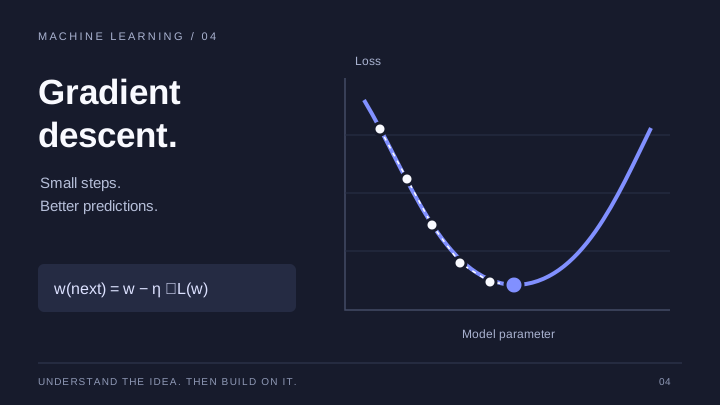
At the useful moment, select Snapshot. The frame is kept with its playback time. Capture it while the diagram is readable, then inspect the timeline to make sure the right frame was saved.
3. Write the connection in your own words
02:14 — Move against the gradient. The learning rate sets the step size.
This short sample note records what the visual means. A useful follow-up is: “What would I expect to see if the step size were much larger?” Add that as a question rather than treating an untested answer as a conclusion.
For a programming lesson, the same structure might be a code screenshot, the reason for a change and the input you still need to test. The timestamp preserves the route back to the explanation.
4. Use AI as a separate source of help
The sample export also includes a summary and key points. In the product, these tools use the available transcript and require sign-in. A detail shown only in a diagram may be absent from the transcript, so retain your visual note and check important explanations against the lesson.
You can still take notes, capture frames and download a PDF without using AI. Read what transcript-based AI can and cannot use.
5. Review the finished document
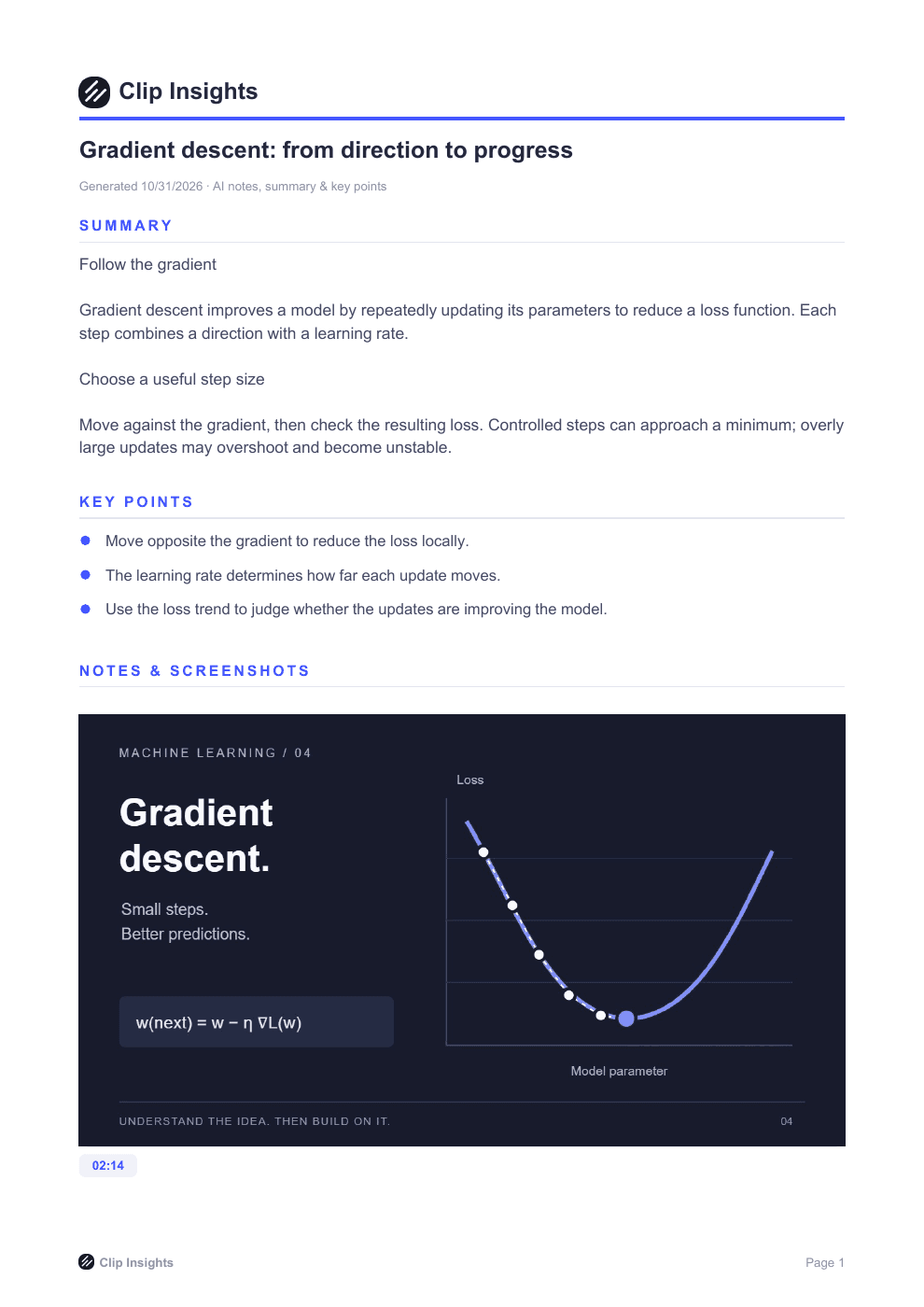
Open the PDF and check that the explanation, source context and images you need are present. Decide what you will try next: explain the diagram without looking, compare a larger step size, or revisit the unresolved question.
Download a copy before relying on the browser timeline for long-term storage: local material is cleared after five days. Uploading the PDF to an account gives the document a library location, but does not sync the editable timeline.
Use the workflow for your own lesson
Open a YouTube watch page in desktop Chrome and begin with one note and one frame. Keep your own wording and respect the creator’s rights before sharing captured material.